
Starting with Understand 7.2 build 1240, the AI module in Understand has been completely rebuilt. This update comes with several new features. Understand has shipped with a llama 3.2 ( 1 billion parameter ) model since the release of Understand 7.1. build 1223, but now users can download both a 3 billion and 8 billion parameter model from within Understand.
Note: visit our Hugging Face page to find direct links to all of the models we use!
Here are the requirements we're seeing for each of the models available from Understand running an Intel iGPU:
| Model | RAM Usage | VRAM Usage |
| 1 Billion parameter | 5.2 GB | 4.6 GB |
| 3 Billion parameter | 9.6 GB | 8.7 GB |
| 8 Billion Parameter | 13.2 GB | 11.6 GB |
Exact requirements do vary slightly depending on OS and hardware, but we are seeing similar numbers across all OS testing using various hardware configurations.
* AMD drivers requires changing the default context size from 32k to 16k. This can be done by setting the environment variable 'UNDAI_LLAMA_N_CTX=16384'.
If you prefer you can specify your own Open AI GGUF file. We've also added the abilities to use Understand to host your own AI server or to even use the 3rd party services, Ollama and LM Studio.
To access these new features, go to Tools->Options then select Data and finally the indicated ellipsis:
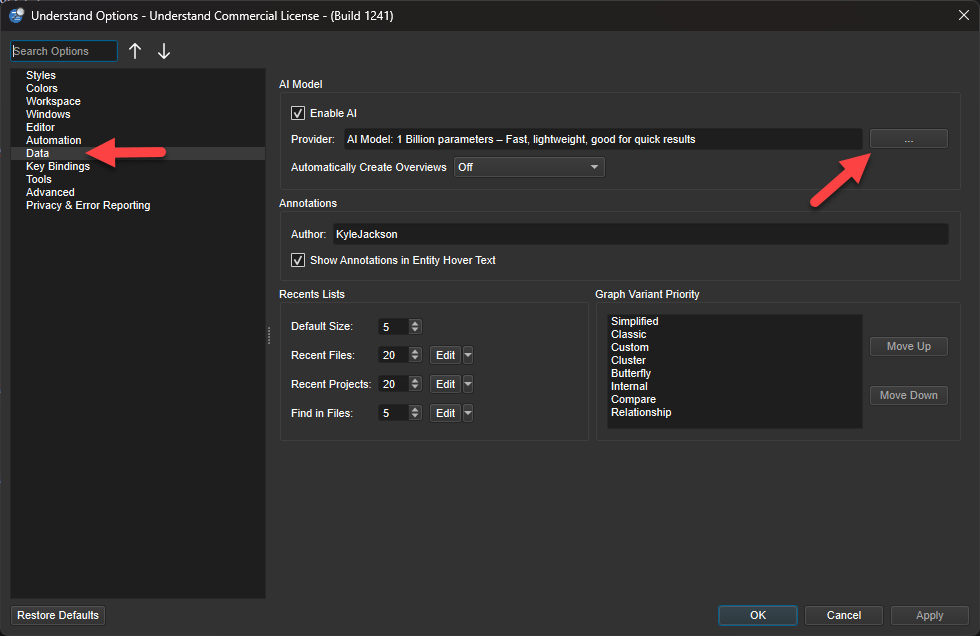
Follow along with the video below to learn how to switch models, use a custom GGUF file, or set up a custom AI
server yourself:
Chat with the AI from Understand
We've added the ability to directly interact with the model in Understand. To start chatting with Understand AI, open the AI Overview by going to View->AI Overview. Once the AI overview has been populated, just click this icon:
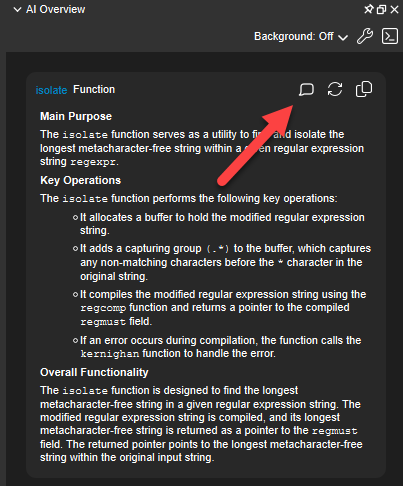
This will bring up a special chat dialogue that includes the context of the entity in question. In this case, it is the function 'isolate':
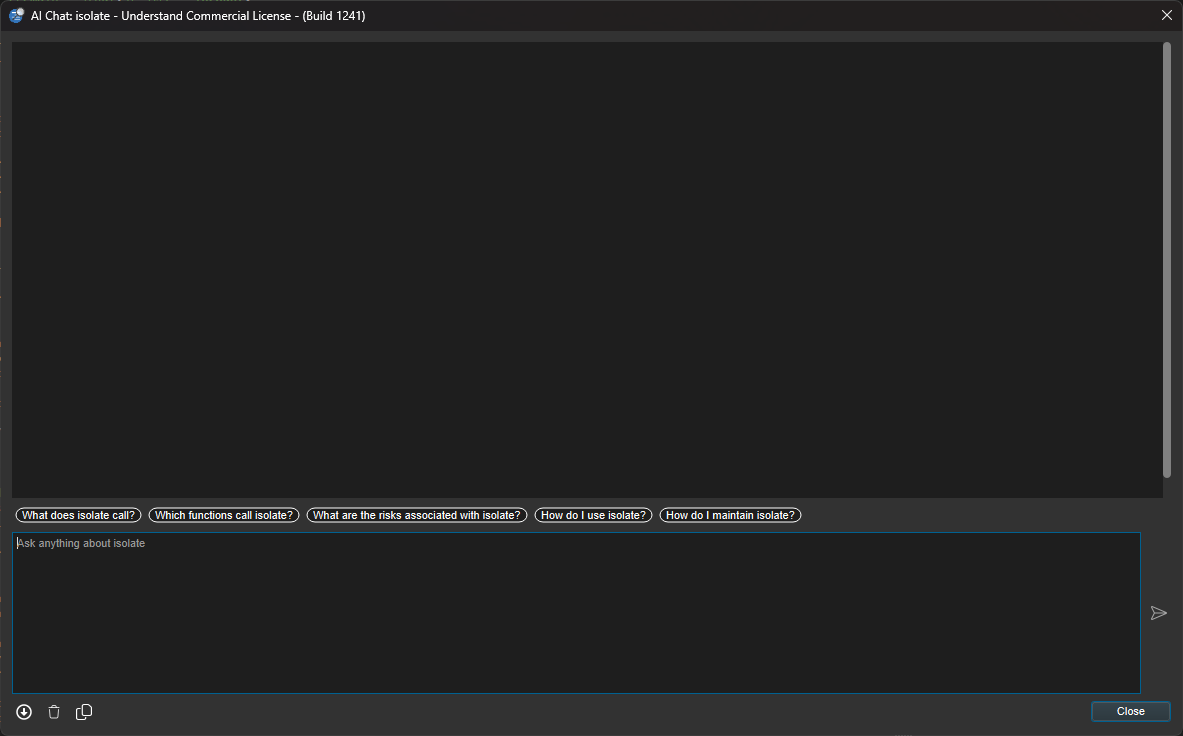
From here you can ask questions directly to the AI while maintaining the context of the entity in question along with your previous dialogue with the AI. This will allow for improved responses and more accurate information when interacting with the AI.
We have a video exploring this feature here: